TallyGate
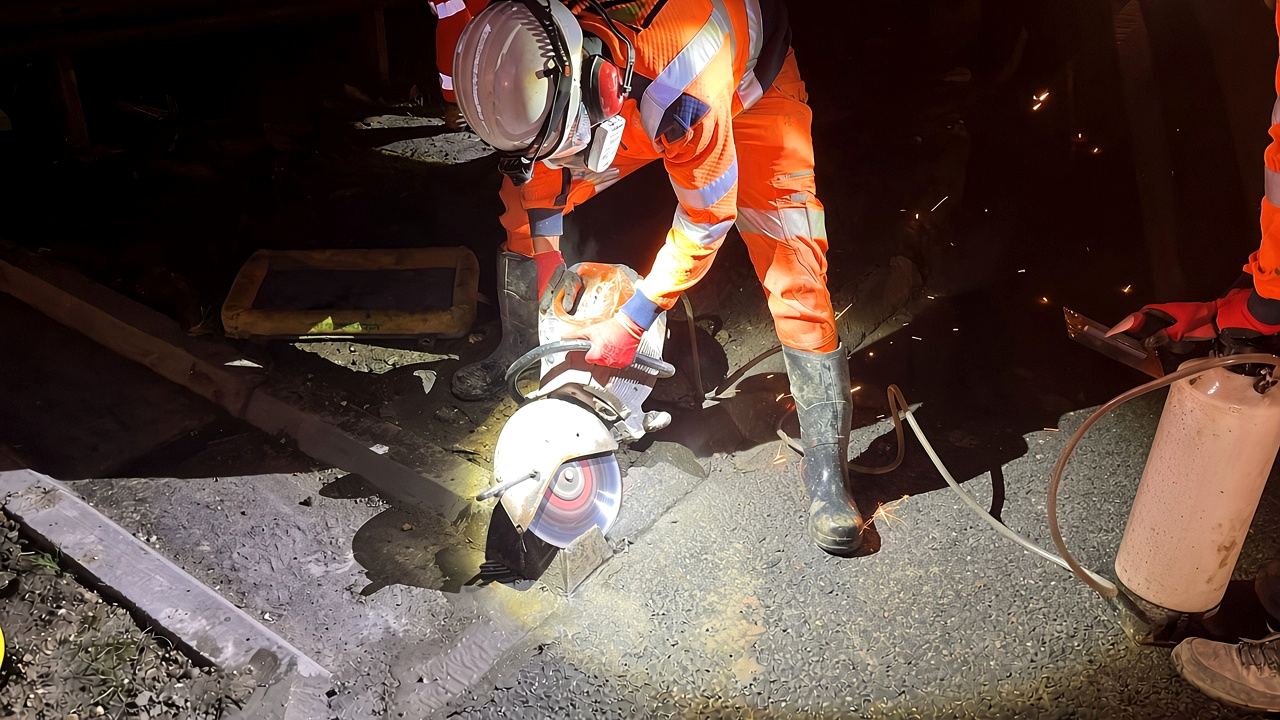
An operative in orange hi-vis, hard hat and ear defenders cutting kerb with a disc cutter at night, sparks flying

Site clock-in app for UK construction · Every head counted

Stop paying for minutes nobody worked.

Half an hour lost a day, across a quarter of the workforce on a 40-person site, can add up to £33,333 a year in wages for time nobody worked.* TallyGate's geofenced clock-in, with a photo at every clock, records the real times, so you pay only for the hours worked.

*Illustrative example: 10 of 40 operatives (a quarter of the workforce) losing 30 minutes a day at a blended £250 day rate (9-hour day), 5 days a week, 48 working weeks a year. Not a guarantee. Work out yours.

Pay only for hours worked Stops buddy clocking No hardware or app store Audit-ready from the first clock-in
15

On site now · Riverside Plot 4

Site clerks used to count men through the gate in fives: four strokes, then a bar across. The five-bar gate. TallyGate keeps the same count live, as each operative clocks in.

07:284G ▮▮▮
Riverside Plot 4Groundworks · Gate A
INSIDE ±6 m
07:28Clocked in · photo taken
Clock out
8t excavatorcheck ✓
Site RAMS rev Csigned
Dumper pre-useto do

Savings calculator

What are lost minutes costing you?

Half an hour late in, early out or on a long break doesn't look like much on one sheet. But a site is a mix of trades on different day rates, from labourers to plant operators and supervisors, and those lost minutes add up across all of them, every day. Put in your own numbers and see what paying only for the hours worked could be worth.

Everyone who clocks in on a normal day.

e.g. 25% = 10 of your 40 operatives

Late in, early out, long breaks, all added together.

The average across all your trades. £250 a day is an example. About £27.78 an hour.

Work it out from your trade mix

A site is a mix of trades on different day rates, and the lost minutes add up across all of them. Set how many of each you have and what you pay. The rates shown are typical examples, not quotes. Changing this updates the operatives and blended day rate above.

Labourer
Groundworker
Plant operator or machine driver
Carpenter or electrician
Supervisor

40 operatives, blended £250 a day

Used to turn the day rate into an hourly rate.

Over 48 working weeks a year.

Compare with

Real prices, excluding VAT.

Paid for time nobody worked, a year

£33,333

10 people losing 30 minutes: 5 hours a day, at about £27.78 an hour.

Per day£138.89
Per week£694.44
Per month£2,777.78
Per year£33,333
TallyGate Pro for 40 operatives£249/month
Net saving after TallyGate£2,528.78/month
Net saving a year£30,345

The time lost in the first 2 working days of each month would cover the subscription. No set-up fee, so the saving starts in month one.

Illustrative example, not a guarantee. These figures are worked out only from the numbers above: people losing time × minutes lost × hourly rate (day rate ÷ paid hours in a day) × working days, with 48 working weeks a year and a month taken as a twelfth of a year (4 working weeks). Trade day rates are typical examples, not quotes, and leave out employer costs such as National Insurance, pension and holiday pay. TallyGate prices are the published monthly prices, excluding VAT (Site £25 a month plus £3.50 per operative, Pro £49 a month plus £5 per operative). Annual Pro is also available at a fixed £1,740, £2,990 or £4,240 a year for up to 25, 50 or 75 operatives, saving up to 2 months against monthly at the top of each band. No set-up fee, so the saving starts in month one. What you actually save depends on your site, your crew and whether that time is being paid today.

Worked examples: a quarter of the workforce, 30 minutes a day, £250 a day blended

20 operatives

£16,667 a year in lost time

  1. 20 × 25%5 people
  2. 5 × 30 min2.5 hours a day
  3. 2.5 h × £250 ÷ 9 h£69.44 a day
  4. a day × 5 days£347.22 a week
  5. a week × 4£1,388.89 a month
  6. a week × 48£16,667 a year

Pro for 20 operatives costs £149 a month (£1,788 a year), leaving £14,879 a year in this example.

30 operatives

£25,000 a year in lost time

  1. 30 × 25%7.5 people
  2. 7.5 × 30 min3.75 hours a day
  3. 3.75 h × £250 ÷ 9 h£104.17 a day
  4. a day × 5 days£520.83 a week
  5. a week × 4£2,083.33 a month
  6. a week × 48£25,000 a year

Pro for 30 operatives costs £199 a month (£2,388 a year), leaving £22,612 a year in this example.

40 operatives

£33,333 a year in lost time

  1. 40 × 25%10 people
  2. 10 × 30 min5 hours a day
  3. 5 h × £250 ÷ 9 h£138.89 a day
  4. a day × 5 days£694.44 a week
  5. a week × 4£2,777.78 a month
  6. a week × 48£33,333 a year

Pro for 40 operatives costs £249 a month (£2,988 a year), leaving £30,345 a year in this example.

100 operatives · bigger site

£83,333 a year in lost time

  1. 100 × 25%25 people
  2. 25 × 30 min12.5 hours a day
  3. 12.5 h × £250 ÷ 9 h£347.22 a day
  4. a day × 5 days£1,736.11 a week
  5. a week × 4£6,944.44 a month
  6. a week × 48£83,333 a year

Pro for 100 operatives costs £549 a month (£6,588 a year), leaving £76,745 a year in this example.

Illustrative examples using the assumptions stated above, at an example blended rate of £250 for a 9-hour day (about £27.78 an hour), 5 days a week, 48 weeks a year. Your trade mix and rates will differ. They are not results from real customers and not a guarantee. See full pricing.

Health and safety · Audit-ready records

Audit-ready from the first clock-in.

Your paperwork's done before boots hit the ground. The daily forms you allocate open the moment an operative clocks in, so checks are completed, signed and timestamped before the tools come out. When a principal contractor or a health and safety inspector asks to see them, the records are already there, because they were made as part of signing in.

  1. Clock in, and the day's checks open

    Inside the geofence, with a photo. Their allocated forms open straight away: pre-use checks, check sheets, RAMS by revision and inductions.

  2. Signed before the tools come out

    Each form is completed on the phone, signed and timestamped against the person, the site and the shift. A failed plant check takes that machine out of use until it's marked repaired.

  3. Already there when you're audited

    Anything still unsigned after the grace period is flagged for a supervisor. Signed records save as PDFs and can be exported. The audit trail builds itself, one clock-in at a time.

TallyGate enforces the checks you set and helps you evidence that they were done. It doesn't make a site compliant on its own: what to check, and acting on what the checks find, stays with you and your competent people.

Where the money goes

The gate sheet always balances. Your wage bill pays for it.

Paper timesheets get filled in on Friday from memory. Start times round down, finish times round up, and someone signs in a mate who's still on the M25.

Biometric tablets fix part of it, but they cost hundreds per site, need power and signal at the cabin, and someone has to move them every time the job moves.

TallyGate puts the clock where the operative already is: their phone. It checks they're inside the site boundary and takes a photo, so nobody can clock in a mate from the car park, and it keeps every raw time. You pay what was worked, and you can prove it.

OperativePaperTallyGateResult
J. Barker07:00–17:3007:41–16:58Late start flagged
M. Nowak07:30–17:3007:24–17:33Clean, approve
D. Okafor07:30–17:30No clock-inNot on site

Example week. Names are illustrative.

Tower cranes over a London construction site, seen from above, in black and white

How it works

Four steps to paying only for hours worked

Set up a site in the morning and have the crew clocking in by lunch. Nothing to buy up front: no hardware, nothing to install from an app store, and it runs on the phones and laptops your people already have.

  1. Draw the site

    Search the postcode and click round the boundary on the map, or drop a simple circle. Set the site's own working hours.

  2. Crew clock in

    Operatives open TallyGate on their phone, take a photo and tap once. Their check sheets for the day open straight away.

  3. Office approves

    Clean timesheets approve in bulk. Only the exceptions need a look: missed clock-outs, outside the fence, overtime.

  4. Pay what was worked

    Send approved hours to Xero Payroll or Staffology, CIS subcontractors to Xero as bills, or download an import file for your payroll.

Daily checks

Checks at clock-in. Fewer costly surprises.

Give each person the check sheets they need. The moment they clock in, those sheets open on their phone, before they pick up a tool, so faulty plant is caught before it's used and there's a signed record when a client or auditor asks. Daily checks come back every morning. RAMS and inductions are signed once and drop off the list. Supervisors see anyone who hasn't done theirs.

1. Who's clocking in?

2. What have they been given?

Tick or untick to change what this person is given. This is what the office sets up once, in TallyGate.

3. Which day is it?

07:284G ▮▮▮
Your companyDan Barker
Riverside Plot 4Groundworks · Gate AINSIDE ±6 m
Photo ready

Tap to clock in

What the supervisor seesDan BarkerNot clocked in

Try it

See the minutes TallyGate catches

Drag the operative round the site, or change the clock times, and see how clocks outside the fence and late starts are handled before anything is paid. These demos use the same rules TallyGate applies on live sites.

ACCESS ROAD SITE BOUNDARY WELFARE GATE A
Boundary you drawInsideUncertainOutside1 square = 20 m

Clocking in at Gate A

Drag the dot, click the map, or pick a spot.

By default, anything that isn't clearly inside is flagged for the office to check. Want it stricter? Switch on blocking and a clock-in clearly outside the fence is refused.

A day on site

A normal day, with the leaks plugged

From the gate opening to Friday's payroll, here's where TallyGate catches lost time and does the work that used to happen on clipboards and phone calls.

  1. Supervisor

    Gate opens

    Today's rota is already on everyone's phone. Two operatives still owe the new RAMS revision; it opens when they clock in.

  2. Operative

    First clock-in

    Photo, one tap, inside the fence. His excavator check opens straight away, before he starts the machine.

  3. Supervisor

    No-show alert

    Dan was due at 07:30 and hasn't clocked in. The supervisor's phone buzzes, and Dan gets a reminder.

  4. Operative

    Dumper fails its check

    Seat belt latch faulty. The dumper is out of use until someone marks it repaired.

  5. Operative

    Still clocked in?

    Finish was 17:30. His phone reminds him to clock out before he drives off.

  6. Office

    Payroll

    Clean timesheets approve in bulk. Hours go to Xero or Staffology, and CIS subbies go to Xero as bills.

Features

One honest record, for everyone on the job

One app, three views. Operatives use it on their own phone. Supervisors run the crew from theirs. The office works on a laptop and gets timesheets it can trust, so it pays for the hours on the clock and nothing more.

Operatives

On their phone

Clock in and out in seconds, even on a site with no signal.

  • One tap to clock in, with a quick photo
  • Works offline: clocks are saved and sent when signal returns
  • See their own hours for the current pay period
  • Their check sheets and RAMS open the moment they clock in
  • The app in English, Polish, Romanian or Albanian
  • See their rota and ask for a missed clock to be added
  • Register themselves; a manager approves before they can sign in

Supervisors

On site

Know who is on site right now without walking the job.

  • Live "on site now" list and map
  • Clock crew in or out on their behalf, with a reason logged
  • An alert when someone on the rota hasn't turned up
  • See who hasn't done today's checks at a glance
  • Start a fire roll call from their own phone
  • Plant marked out of use the moment a check fails

Office

On a laptop

Approve a week of timesheets in minutes, then send them to payroll.

  • Approval by exception, with clean timesheets approved in bulk
  • Overtime is paid only once a manager approves it
  • Corrections keep the original, with who changed it and why
  • Rotas, holidays, labour returns and right to work records
  • CSCS and other card records, with expiry warnings
  • Send to Xero Payroll, Staffology, or Xero bills for CIS
A large basement dig with reinforcement laid for the slab and a piling rig on site, in black and white

For the office

Fewer office hours chasing timesheets

Approval by exception means the office looks at the few shifts that need it, not every line. The jobs that used to mean a phone call, a spreadsheet or a filing cabinet, all in one place on a laptop.

Rotas and no-show alerts

Plan the week by site and publish it to everyone's phone. If someone on the rota hasn't clocked in by their start time, the supervisor gets an alert, and so does the operative.

TODAY · RIVERSIDE PLOT 407:20
M. Nowak07:30Due
J. Barker07:30Due
D. Okafor07:30Due
A. Pop08:00Due
⚠ D. Okafor hasn't clocked in. Supervisor alerted.

Labour returns

Heads and hours by site and trade, by day or week, ready for the main contractor. Attendance reports and a CSV download.

Working time checks

Flags anyone over the 48-hour average, short of 11 hours' rest, or on too many days in a row. Records 48-hour opt-outs.

Switch on or off · no extra cost

Right to work

Record each check, how it was done and a copy of the documents. Get a warning before a follow-up check is due.

Missed clocks

Forgot to clock out? The operative asks in the app, the office approves or refuses, and the timesheet updates with a record of who agreed.

Messages to the crew

"Site closed tomorrow, high winds." It pops up on their phone until they tap Got it, so you can see who has read it.

Holidays

Operatives request leave from their phone. Approved leave shows on the rota and stops false no-show alerts.

Locked down

Two-step login for office accounts, and a full audit trail of every change, approval and export.

Phone alerts

Nudges that catch lost time on the day

A no-show alert at start time tells you that morning, not on Friday. TallyGate sends alerts straight to phones, free. There's no app store download and no charge per message. Texts and emails can be switched on as a backup.

Works on Android, and on iPhone once TallyGate is added to the home screen.

Their language

In English. Or Polish, Romanian or Albanian.

Operatives pick their language when they register, and the app on their phone is in that language from then on: clocking in, check sheets, sign-offs, reminders and the fire alarm. The office stays in English.

  • Fewer mistakes on safety sign-offs when they can read what they're signing
  • Each person can switch language from their own phone at any time
  • More languages can be added as your workforce needs them
ClockMy formsMy rota
✓You're clocked inRiverside Plot 4Since 07:28
Clock out
My hours this week32h 15m
FIRE ALARM Leave your work safely and go to the assembly point now. I'm at the assembly point

Connections

From the gate to payroll, with no retyping

Clock-ins, checks and signatures flow into one place, and out to payroll and your records. Nobody types up a timesheet again, so no office time goes on rekeying hours and nothing gets added on the way.

OperativesClock-in · photo · GPS
SupervisorsCrew clock-ins · checks
OfficeApprove by exception
Xero Payroll UKDraft timesheets
Xero billsCIS subcontractors
StaffologyPay run import
BrightPay · Sage · IRISReady-made import file
Signed recordsChecks, RAMS, roll calls
A steel-framed building going up, with plant and materials across the site, in black and white

Fair rules, set once

Pay rules that hold the line on every shift

Rounding and overtime follow your rules, not whoever fills in the sheet. Rules are applied when hours are calculated, never when they're recorded. The raw clock times are always kept and exported next to paid hours.

07:40 → 08:00

Rounding

Late starts round up and early finishes round down to the step you choose, so nobody is paid for time they weren't there.

×1.5

Overtime

Time outside site hours or on a non-working day is overtime, held until a manager approves or rejects it with a note.

±25 m

Flag or block

GPS can drift and welfare may sit outside the fence, so an outside clock-in is flagged for a check. Or switch on blocking and it's refused.

VOID ≠ DELETE

Nothing is lost

Clock events are never edited or deleted. A correction voids the original, records who and why, and adds a manager entry.

LOCKED

Approved means locked

Approving a period locks it. A manager has to unapprove it before anything can change, so payroll figures stay put.

90 DAYS

Photos, then gone

Clock-in photos are deleted after the period you set. Location is only recorded while someone is clocked in.

Safety and compliance

Safety paperwork done at the gate, ready when it's asked for

Missing checks and unsigned RAMS cost time when a client or auditor asks. When an operative clocks in, TallyGate asks what plant they're using today, then puts the checks and documents they owe straight in front of them. When the alarm goes, it knows who to look for.

Fire roll call

Their phone stays red until they reach the muster point

Start a roll call and TallyGate on every phone on the list turns into a flashing red fire alert. It stays red until that person taps "I'm at the assembly point", or a fire marshal checks them off. The marshals' screen counts down who is still not accounted for, live, on as many phones as you need.

  • The list comes straight from the clock records, so everyone clocked in is on it, even if they forgot to clock out yesterday
  • Late clocks from phones with no signal, and anyone arriving after the alarm, are added automatically
  • Nobody comes off the list until a person accounts for them
  • Several assembly points, the hand-over to the fire service, and a printable record for the fire log
  • Drill due reminders for each site every six months

How the fire roll call works

3not accounted for14 safe · Main gate

Pre-use checks that stop bad plant

Pick the machine, run the check. A failed check takes that machine out of use until someone marks it repaired, with a note. Supervisors see it immediately. More on daily and pre-use checks.

3t dumper · D-114Out of use
Seat belt latch faulty07:52
8t excavator · E-207Passed

RAMS sign-off by revision

Upload the PDF and see who has and hasn't signed. A new revision archives the old one and everyone signs again.

Your own check sheets

Build your own check sheets, inductions and toolbox talks, and give them to people at one site or every site. Each signed record prints or saves as a PDF. See how it works.

Your brand

Your colours. Your logo. Your app.

Your crew should see your company, not ours. Before you go live we set TallyGate up in your company colours with your logo, on the sign-in screen, throughout the app and as the icon on their home screen. Text colours are picked automatically, so whatever your colours, it stays easy to read on site.

Your CompanySign out
ClockMy formsMy rota
YOU'RE NOT CLOCKED INRiverside Plot 4
▶ Clock in
My hours this week32h 15m
Send
YC

Your Company

On their home screen
Tower cranes above a city construction site under a cloudy sky, in black and white

Pricing

Pay for the people who clock in. Nobody else.

You're only billed for operatives who actually clock in that month, so labour that comes and goes doesn't cost you when it's gone. Set it against the saving you worked out above. Prices exclude VAT.

Site

Clocking in and timesheets

£130/month

£25 base + £3.50 per operative

  • Geofenced clock-in with photo
  • Works offline
  • Live on-site list and map
  • Fire roll call with red phone alerts
  • Clock-in and clock-out reminders
  • English, Polish, Romanian, Albanian
  • Timesheets, approval by exception
  • Spreadsheet export
Get the free demo pack

Main contractor

For whole projects with many subcontractors

Per project

One flat fee, unlimited users

  • Everything in Pro
  • Subcontractors clock in free
  • Project-wide on-site headcount
  • Onboarding for your site teams
Talk to us

30 operatives on Pro works out at £6.63 per operative per month. Billed monthly in advance, cancel any time. No set-up fee.

Annual (Pro), pay once a year

Fixed price for the year, paid upfront as a 12-month commitment, saving up to 2 months against monthly Pro. Prices exclude VAT.

  • Up to 25 operatives£1,740/year
  • Up to 50 operatives£2,990/year
  • Up to 75 operatives£4,240/year
  • Over 75 operativesQuote

Saving is greatest at the top of each band; smaller teams may pay less on monthly. If you go over your band, you move up to the next band, pro rata, for the rest of the term.

No set-up fee. No contract on monthly plans. Cancel any time. Live in a day or two, not weeks.

Monthly plans are billed in advance at the start of each month.

Compared

Paper, tablets or TallyGate: what each costs you

The usual ways UK contractors record site hours, side by side, including the hardware and office time each one needs.

Paper sheetsBiometric tabletTallyGate
Proves they were on siteNoYes, at the tabletYes, GPS and photo
Hardware per siteClipboardTablet, power, signalNone, their phone
Works with no signalYesOften notYes, sends later
Moves when the job movesYesSomeone moves itDraw a new boundary
Office time to processHours of typingVariesMinutes, by exception
Fire roll callWhoever wrote their name inPrintout from the tabletLive list, red alert on every phone
Daily checks before workIf someone remembersUsually separateOpen at clock-in, every day
No-shows and remindersPhone roundRarelyFree phone alerts
In their own languageEnglish onlyVaries4 languages, their choice

Compared with UK providers

TallyGate, Chime and BrightHR, side by side

Two well-known UK clock-in systems, set against what a building site needs. Prices are for 70 operatives a month, excluding VAT.

What you getTallyGateBrightHR (Blip app)Chime
Fire roll call Live list, red alert on every phoneNot listedNot listed (live on-site register and emergency contact details offered)
Daily check sheets that open at clock-in ProNot listed (health and safety tasks offered as a paid add-on)Not listed as check sheets at clock-in (daily checklists offered; RAMS and documents can be signed at clock-in)
Works with no signal Phones keep clocks and send them laterNot listedNot listed
Setup fee NoneNot listed£2,000 one-time setup
Contract Monthly, billed in advance, cancel any time; or annual (12 months, save up to 2 months)Fixed term of 24, 36 or 60 monthsBilled annually
Price for 70 operatives, a month, ex VAT£270 Site or £399 Pro, billed monthly; or £4,240 a year up to 75 (annual Pro)Not published for 70 people; quote after a demo (published prices “from £3.00 per person depending on business size”)£875 a month equivalent (Growth plan, £10,500 a year for 1–75 users, billed annually), plus £2,000 setup
Pre-use plant checks and defects ProNot listed Plant checklists and faulty equipment reporting
RAMS sign-off and inductions ProMethod statement tool offered as a paid add-on RAMS, toolbox talks and inductions signed in the app
Card records and expiry warnings YesNot listed Skills and qualifications records (expiry warnings not listed)
Geofenced clock-in Yes Yes Yes
Photo at clock-in At every clockNot listed (flexible clock-ins record a map screenshot) Selfie and facial recognition sign-in
Timesheets approved by exception YesNot listedMulti-layered timesheet approvals (approval by exception not listed)
Payroll export Xero Payroll UK, Staffology and CIS bills on Pro; spreadsheet on SiteTimesheet CSV reports and import to BrightHR Payroll Sage integration; CSV and Excel exports
Your logo and colours in the app ProNot listedNot listed
Languages for operatives English, Polish, Romanian, AlbanianNot listedNot listed

Based on each provider's published website information, checked 1 November 2026. Features and prices may change; see their sites for current details. “Not listed” means we could not find the feature on the provider's public website; it may still be available. Sources: BrightHR pricing, BrightHR Blip, BrightHR payroll, Chime pricing, Chime features, Chime time and attendance. BrightHR and Chime are trade marks of their respective owners; TallyGate is not affiliated with either.

Questions

What contractors ask us

How much money could TallyGate save us?

It depends on your crew and trade mix. As an illustrative example, if a quarter of the workforce on a 40-person site loses 30 minutes a day at a blended day rate of £250 for a 9-hour day, that is about £138.89 a day, or £33,333 a year over 48 working weeks, against £249 a month for Pro. Use the savings calculator with your own trades and rates. It is an estimate based on the figures you enter, not a guarantee.

How does TallyGate help when we are audited?

The daily forms you allocate open as soon as someone clocks in, and each one is signed and timestamped against the person, site and shift. Anything left unsigned is flagged. So when a principal contractor or a health and safety inspector asks for your checks, the records are already there and can be printed or exported as PDFs. TallyGate helps you evidence the checks you set; it does not make a site compliant on its own.

Do operatives need to download an app?

No. TallyGate runs in the phone's browser and can be added to the home screen like an app. There's nothing to find in an app store and nothing to update.

What happens on a site with no signal?

Clocks are saved on the phone with their time and position, and sent automatically when signal comes back. The original time is kept, so nobody loses hours.

Does it track operatives when they're not at work?

No. Location is only recorded while someone is clocked in, and the clock screen says so. Nothing is tracked once they clock out.

Can we make sure the daily checks get done?

Yes. Give each person the check sheets they need: a daily excavator check, a vehicle inspection, a permit, whatever applies. One sheet or twenty. They open on the phone the moment that person clocks in. Daily checks come back every day; RAMS are signed once per revision and inductions once. The supervisor sees anyone who hasn't done theirs.

What if someone clocks in from outside the site?

By default they can, because GPS isn't perfect and welfare is often just outside the boundary, and the shift is flagged for a manager to check. If you'd rather, switch on blocking and a clock-in clearly outside the fence is refused.

What happens when the fire alarm goes?

A supervisor starts a roll call from their phone. Everyone clocked in is on the list, and their phones show a flashing red fire alert until they tap "I'm at the assembly point" at the muster point, or a marshal ticks them off. Marshals see who is still not accounted for, live, and can record the hand-over to the fire service. Every roll call and drill is saved as a printable record.

Will it remind people to clock in and out?

Yes. If someone on the rota hasn't clocked in by their start time, they get a reminder and their supervisor gets an alert. If they're still clocked in after their finish time, they're reminded to clock out. Phone alerts are free; texts and emails can be switched on as a backup.

Does it work in other languages?

The operative app comes in English, Polish, Romanian and Albanian. Each person picks their language when they register and can change it any time. Reminders and the fire alarm arrive in their language too. More languages can be added.

Which payroll systems does it work with?

Approved hours send straight to Xero Payroll UK and Staffology. CIS subcontractors go to Xero as bills, with Xero working out the CIS deduction. For BrightPay, Sage 50, IRIS and Moneysoft there's a ready-made import file in each system's own format.

Is it compliant with UK GDPR?

TallyGate is built to keep only what's needed: location while clocked in, and clock photos deleted after the period you set. We provide a data processing agreement and a template DPIA you can adapt for your workforce.

Can we try it before we commit?

Yes. Ask for the free demo pack and we'll email you a short slide deck and a demo video showing how it works. If you want to run it for real first, a two-week pilot covers one site and up to 10 operatives for £99 plus VAT, and that £99 comes off your first invoice if you carry on.

How long is the contract?

Monthly, and you can cancel any time. Annual Pro is optional: a fixed yearly price that saves up to 2 months against monthly billing.

Is there a set-up fee or minimum term?

No set-up fee. Monthly plans are billed in advance and roll month to month, so you can cancel any time and it takes effect at the end of the month you've paid for. Annual plans are a 12-month commitment paid upfront, with a fixed price for up to 25, 50 or 75 operatives that saves up to 2 months against monthly billing. Bespoke work such as custom integrations or bulk data import is quoted separately.

Can the app be in our company colours?

Yes. Before you go live we set TallyGate up with your logo and your company colours, and the icon on your crew's home screens is yours too. Your operatives see your company every time they clock in.

Who built it?

TallyGate was built on live UK highways and groundworks sites by a site manager with 30 years in construction, to replace paper gate sheets that never quite added up. About TallyGate.

Get the free demo pack

See how TallyGate stops you paying for minutes nobody worked. We'll email you a short slide deck and a demo video showing TallyGate at work on a site: no call or meeting needed, and it's free. Want to run it for real first? A two-week pilot covers one site and up to 10 operatives for £99 + VAT, taken off your first invoice if you carry on. No setup fee, no long contract.

We'll email your demo pack (or pilot details) within one working day. See our privacy notice.